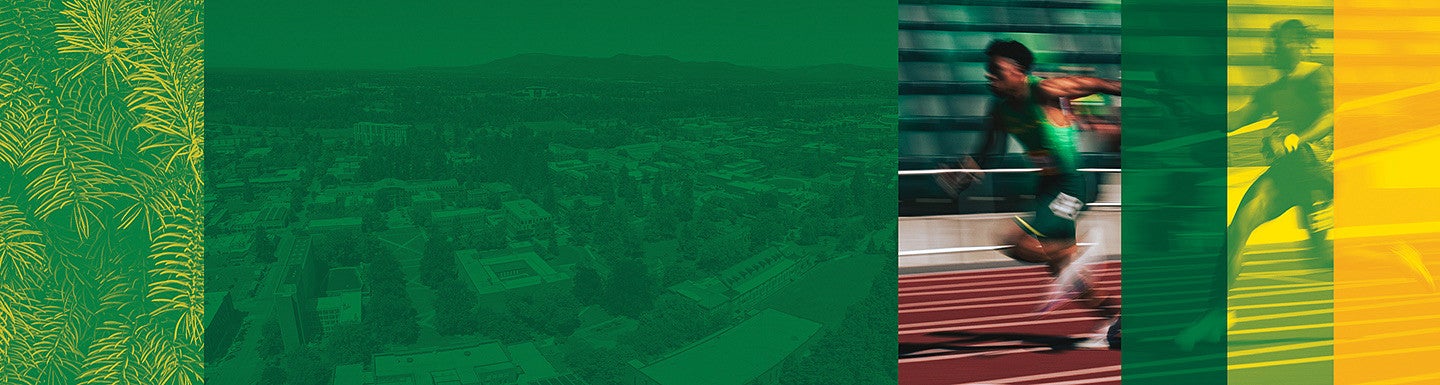
Our brand includes three duotones that bring energy, cohesion, and clarity to our visual system. Duotones help unify a wide range of photography by applying a consistent color treatment, while also improving contrast and legibility. When used thoughtfully, they can guide attention, emphasize key moments, and add a sense of movement and depth without overwhelming the composition.
Apply duotones to create texture and depth. Do not use or create other duotone combinations outside of the following:
- Evergreen/UO Green
- Duck Bill/UO Yellow
- UO Green/UO Yellow

Duotones are created using the “Gradient Map” adjustment layer in Adobe Photoshop. A Photoshop file with duotones is available in the Expanded Brand Library for reference.
Use duotones in instances where type needs to be made legible over photography, to emphasize movement, or to add texture. They are especially effective for simplifying busy images or bringing consistency across a set of visuals.
Duotones are never the focus of a layout; they work best when applied to imagery that is not overly detailed or distracting. Their role is to support the overall composition, not compete with it.
Do not apply duotones over images where faces are clear and recognizable. We do not want to alter an individual’s appearance or identity.
Examples of Duotones in Use